
Ruoca Audio Ruoca Audio

Top 10 Best Microphones for Video Conferencing

Time:2026-10-30 Author:Henry
0%

A clear voice can make a video meeting feel more focused, whether you are presenting from a home office or calling beside a busy kitchen. The right Mic For Video Conferencing can reduce distracting room noise, capture speech more naturally, and help you avoid repeating yourself. But no microphone can fix every problem. A loud fan, a hollow room, or a mic placed too far away can still affect the sound.

This guide to the Top 10 Best Microphones for Video Conferencing compares practical options for different setups, from compact USB models to headset microphones. It considers connection type, pickup pattern, mute controls, portability, and compatibility with common computers. Small details matter: a physical mute button is handy during interruptions, while a stand that keeps the mic near your mouth can improve clarity. Check your device’s ports and your meeting software before buying.

There is no single best choice for everyone. A shared workspace may call for stronger background-noise control, while a quiet desk may suit a simple plug-and-play microphone. Price and specifications can help narrow the field, but they do not guarantee a good fit in your room. Sound changes with distance and placement. A little trial and adjustment may be needed. The picks ahead aim to make those trade-offs easier to compare, without pretending that one microphone will solve every call-quality issue.
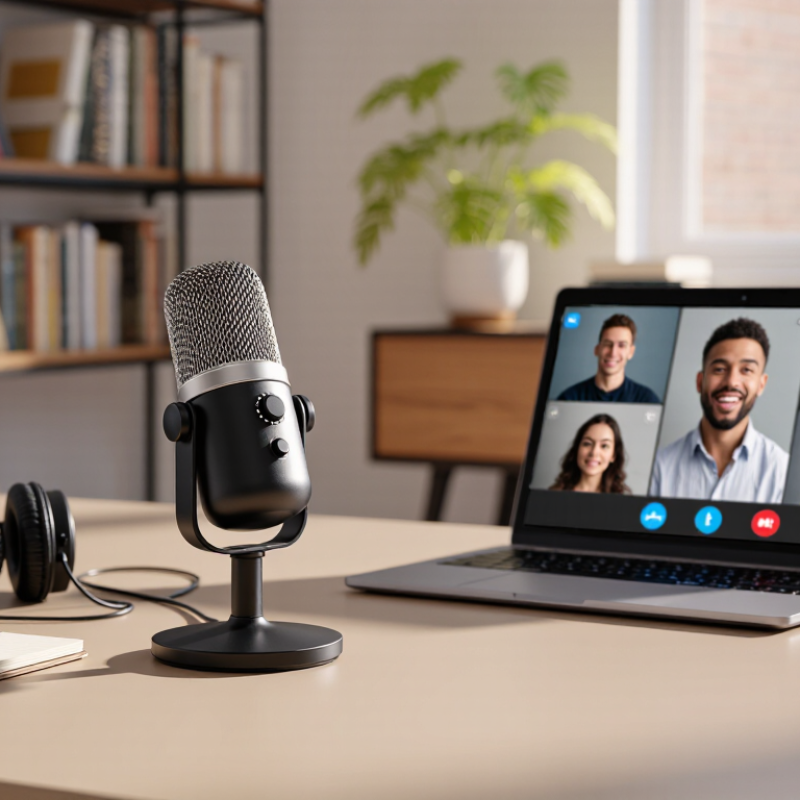
Top 10 Best Microphones for Video Conferencing

Set the Speech Benchmark: ITU-T G.722 Covers 50–7,000 Hz

Top 10 Best Microphones for Video Conferencing

Set the Speech Benchmark: ITU-T G.722 Covers 50–7,000 Hz

A microphone’s frequency range is not just a number on a product sheet. ITU-T Recommendation G.722 specifies wideband speech coding from 50 to 7,000 Hz. That span preserves more vocal detail than narrowband telephone audio, helping consonants sound clearer and voices less muffled. But the codec is only one part of the call. The microphone, computer, conferencing software, and network must all support a compatible audio path.

Look beyond the headline specification. A mic may capture 50–7,000 Hz, yet room echo or a humming fan can still bury speech. Try a practical check: speak at your usual distance, then listen for crisp “s” sounds and full, natural vowels. That gap matters. The ITU-T G.722 recommendation also describes operation at 48, 56, and 64 kbit/s, showing that bandwidth and bit rate work together. Neither figure alone guarantees a clean call.

Latency matters, too. ITU-T Recommendation G.114 gives 150 milliseconds as a key one-way delay planning limit for conversational applications. Delays can make people talk over each other, even when the mic sounds excellent. In choosing conferencing microphones, treat 50–7,000 Hz as a useful speech benchmark, not a promise. A quiet room, sensible placement, and an uncompressed or wideband-compatible signal path still matter. And, honestly, frequency charts rarely tell you how tiring a mic sounds after an hour.

Classify 10 Conferencing Microphones by Design and Pickup Pattern

Microphone selection depends on room size, speaker movement, and background noise. The 2022 Global Hybrid Work Study, surveying 28,000 workers, reported that 98% expected meetings to include remote participants. That makes clear speech capture more important than impressive-looking hardware. Pickup patterns shape what listeners hear.

For a single desk, a USB desktop microphone with a cardioid pattern favors the speaker in front. A boundary microphone uses a hemispherical pattern to cover a conference table. A gooseneck model, usually cardioid or supercardioid, keeps the capsule close to one speaker. A shotgun microphone uses a narrow lobar pattern for focused pickup. A lavalier microphone, commonly omnidirectional, follows a moving presenter. Placement matters.

For personal calls, a headset boom microphone—often cardioid—reduces room sound near the mouth. A handheld dynamic microphone with cardioid pickup suits a speaker who changes position. A speakerphone’s circular array captures voices around a table. A ceiling array uses steerable beams to follow talkers without tabletop clutter. A stereo pair in an X-Y arrangement can use figure-eight capsules to capture speakers on opposite sides. No pattern is magic. Hard walls still create echo, and a ceiling array may miss a quiet voice. I would test each setup from the farthest seat, not just the nearest one.

Compare Specifications: 16 kHz G.722 Sampling, SNR, and Frequency Response

When comparing the top 10 microphones for video conferencing, check what “16 kHz G.722” means in the full audio chain. G.722 uses 16 kHz sampling and can carry clear, wideband speech, but your conferencing app and connected device must support it too. A microphone’s own sampling rate is not the same as the codec used during a call. Small detail. It matters.

SNR, or signal-to-noise ratio, helps estimate how clearly a microphone captures speech above its self-noise. A higher figure can be useful, but only when manufacturers measure it consistently. Listen for steady fan hum, keyboard taps, and room echo; these may matter more than a slight difference on a specification sheet. Frequency response also deserves attention. A response suited to speech can keep voices intelligible, while excessive bass may make a speaker sound boomy. Specifications narrow the field, not settle it.

Tips: Test each microphone from your usual seat, about an arm’s length away. Record a short sample with a fan running, then repeat in a quiet room. Compare voice clarity and background noise at the same volume. I once trusted a neat frequency graph too much; placement changed the result more than expected.

Assess USB and XLR Models for 48 kHz Audio Workflows

For video calls, 48 kHz is a practical target because many conferencing workflows use that sample rate. It does not automatically make a microphone sound better. Room echo, keyboard noise, and speaking distance can matter more. Keep the mic about a handspan away, and test your voice before an important meeting.

A USB microphone handles the preamp and digital conversion inside its housing. In your computer’s sound settings, select 48 kHz when available, then check the conferencing app separately. Some apps change input settings or apply noise processing. That can make a clear test recording sound oddly compressed during a call. Listen back.

An XLR microphone needs an audio interface with a preamp and converter. Set the interface to 48 kHz, then confirm the same rate in your recording software. This route offers more control, but it adds cables, gain settings, and another device to troubleshoot. A strong signal should peak comfortably below clipping; louder is not always clearer. I may be giving sample-rate settings too much attention here. A quiet, untreated room can still defeat a technically tidy setup.

Top 10 Microphone Workflows: Common Audio Sample Rates

A reference chart of standard digital audio sample rates relevant to USB microphones and XLR interfaces.

48 kHz is a common target for video and conference audio. USB microphones and XLR-to-digital workflows depend on the device or audio interface for supported sample rates; an XLR microphone itself is analog and has no native digital sample rate. These bars show standard rates, not a ranking of microphone models.

Match Microphones to Room Size, Background Noise, and Participant Count

Room size should guide microphone choice as much as price or feature lists. In a small office, a USB desk microphone placed about a hand’s span from the speaker can capture clear speech without picking up every keyboard tap. Small rooms are forgiving. In a larger meeting space, one desk mic may leave distant voices thin or uneven. A boundary microphone near the center can help, but it may also capture chair movement and table knocks.

Background noise changes the trade-off. For a fan, street-facing window, or busy kitchen, a close-talk microphone usually keeps the speaker’s voice more prominent than a microphone placed across the room. Headsets can be practical when one person speaks at a time. They are less convenient for shared discussions, and some people dislike wearing them for long calls. No microphone removes noise perfectly. Test it with the actual room sound, not just a recording played through headphones.

Participant count matters, too. A single speaker can use a compact desk mic; four people around a table need broader coverage or several carefully positioned microphones. Keep microphones away from laptops and speakers to reduce echo. Ask each participant to speak from their usual seat. The result may expose an awkward gap near the far end of the table. That is useful information, even if the setup needs another adjustment.

FAQS

What does a 50–7,000 Hz speech range tell me?

It covers a useful range for clear speech, including crisp consonants and natural-sounding vowels. It is a benchmark, not a guarantee.

Does a microphone’s frequency range guarantee clear calls?

No. Room echo, fan hum, placement, and the audio path can all affect speech. A good-looking specification can still disappoint.

What else must support wideband speech?

The microphone, computer, conferencing software, and network need a compatible audio path. One weak link can reduce clarity.

Which microphone design suits different meeting setups?

A desktop mic suits one speaker, while a boundary mic can cover a table. Headset booms keep the mic close to the mouth. Placement matters.

How do pickup patterns affect what people hear?

Cardioid patterns favor sound from the front; omnidirectional patterns capture sound from around the mic. Ceiling arrays can follow talkers, but may miss quiet voices.

What does 16 kHz sampling mean for a call?

It is associated with wideband speech coding, but a microphone’s sampling rate is not the same as the call’s codec. Small detail. It matters.

Should I choose a microphone by its signal-to-noise ratio?

Use the figure as one clue, not the deciding factor. Fan noise, keyboard taps, and echo may matter more than a small specification difference.

How can I test a microphone before choosing it?

Record from your usual seat, about an arm’s length away. Compare samples with a fan running and in a quiet room, at the same volume. I once trusted a neat frequency chart too much; placement changed the result.

Can a good microphone prevent people from talking over each other?

Not by itself. One-way delay around 150 milliseconds is a key planning limit for conversation, and the full call path affects latency. A great mic cannot fix every pause.

Conclusion

This guide evaluates ten microphone designs for video conferencing, from compact desktop units to headset and room-focused options, with attention to pickup patterns and how they handle speech. It uses the ITU-T G.722 speech band of 50–7,000 Hz as a practical benchmark, explaining why clear voice reproduction matters more than simply chasing a wider frequency range. Comparisons consider frequency response, signal-to-noise ratio, and the 16 kHz sampling associated with G.722 workflows.

The article also distinguishes USB microphones, which connect directly to common conferencing setups, from XLR models used with compatible audio equipment and 48 kHz recording workflows. Rather than naming a single best choice for every situation, it matches microphone types to room size, background noise, and participant count. Whether selecting a personal Mic For Video Conferencing or a device for a shared meeting space, readers can use these criteria to balance intelligibility, convenience, and the demands of their environment.

Henry

Henry

Henry is a dedicated marketing professional with a profound expertise in the company's offerings. With years of experience in the industry, he possesses an impressive understanding of the market dynamics and consumer behaviors that drive success. Henry is committed to sharing his insights through......