Ruoca Audio Ruoca Audio

Best Conference Microphone for Clear Remote Meetings?

Time:2026-04-29 Author:Liam
0%

In today's remote work environment, effective communication is vital. The right conference microphone can greatly enhance the quality of online meetings. Clear sound allows participants to understand each other without frustrating interruptions. Choosing the best conference microphone requires careful consideration of several factors.

Professional settings demand high-quality audio equipment. Clarity and reliability are crucial for productive discussions. A good conference microphone can filter out background noise and focus on speakers. However, not all microphones perform equally well in various conditions. Many users discover that certain products fall short of expectations, resulting in unclear audio and miscommunication.

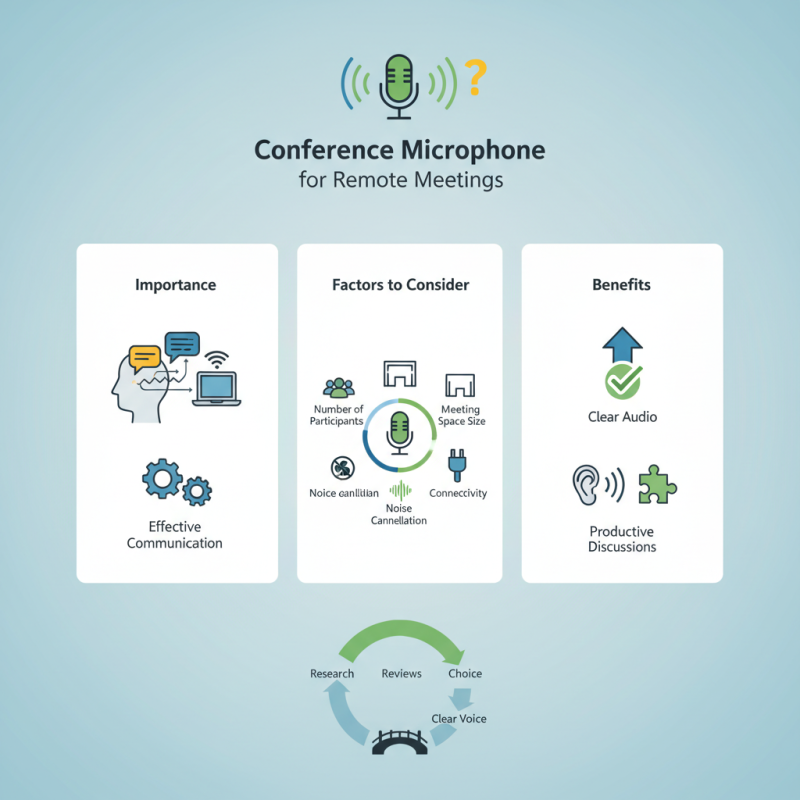
Investing in a conference microphone shouldn't be rushed. Research and reviews help identify models that suit your needs. Consider how many people will use the microphone simultaneously and the size of your meeting space. Ultimately, a thoughtful choice can bridge the gap in virtual communication, ensuring that everyone's voice is heard clearly.
Best Conference Microphone for Clear Remote Meetings?

Understanding the Importance of a Quality Conference Microphone

In remote meetings, a quality conference microphone is essential. It ensures clear communication and reduces misunderstandings. Poor audio can frustrate participants, leading to disengagement. When sound quality suffers, so does productivity and collaboration.

Choosing the right microphone can enhance your meetings significantly. Look for features like noise cancellation and sensitivity adjustments. These elements help filter out background noise and focus on the speaker's voice. A microphone with a wide frequency response captures nuances in speech, making conversations more pleasant.

Tips for selecting a conference microphone:
1. Test different models in various settings. Each room has different acoustics.
2. Ensure compatibility with your devices. Check if it connects easily with your laptop or video conferencing software.
3. Consider using an external microphone if built-in options aren’t sufficient. It can greatly improve clarity.

Keep in mind that even the best equipment needs proper setup. Microphone placement is crucial. Experiment to find the best distance for clear sound. Sometimes, less popular brands produce exceptional microphones. Don't overlook hidden gems in the market that could meet your needs effectively.

Factors to Consider When Choosing a Conference Microphone

When selecting a conference microphone, there are several essential factors to consider. Audio clarity is paramount. Look for microphones that capture speech clearly without distortion. This is important for ensuring every voice is heard. Additionally, check the frequency response. A wider frequency range will typically provide better sound quality.

Pick a microphone that suits the room’s acoustics. A well-designed microphone can minimize background noise and focus on the speaker's voice. This creates a more professional atmosphere. Also, consider connectivity options. USB and Bluetooth connections can offer flexibility. Make sure your device can easily connect to the microphone.

Another crucial factor is ease of use. Some microphones require extensive setup, while others are plug-and-play. Complexity can lead to frustration during important meetings. Lastly, think about durability. Conference microphones should be built to last, especially in a busy environment. Reflect on the potential wear and tear, and choose wisely.

Top Features of Effective Conference Microphones

When choosing a conference microphone, clarity should be your top priority. Effective microphones capture voice accurately, eliminating background noise. This feature enhances communication. Look for microphones that offer noise-cancellation technology. It filters out unwanted sounds, allowing participants to focus on the discussion. A microphone with high sensitivity is also crucial. It ensures every word is picked up clearly, making no one feel left out.

Another important aspect is the microphone's pickup pattern. A cardioid pattern works well in small conference rooms. It captures sound from the front while reducing noise from the sides. For larger spaces, consider omnidirectional microphones. They pick up sound from all directions, accommodating multiple participants.

Don’t overlook the importance of ease of use. A simple plug-and-play functionality can save you time. Some microphones even offer wireless connectivity. This adds flexibility, removing clutter from tables. However, users should remember that wireless technology may introduce latency. Testing the setup before important meetings can prevent issues. A little foresight in selecting the right microphone pays off in clear communication.

Microphone Features Impact on Remote Meeting Clarity

Comparing Popular Conference Microphone Models

When choosing a conference microphone for remote meetings, several popular models stand out. Microphones vary in design and features. Some are portable, while others are built for fixed setups. Portable options are great for flexibility. Yet, they may lack durability. Fixed models offer stability but can be cumbersome in smaller spaces.

Sound quality is a significant factor to consider. Many microphones perform well in quiet environments but struggle with background noise. Some models come with noise-canceling features, providing clearer audio. However, these technologies may also introduce lag or distort sound. It's crucial to test these features in real meeting scenarios. A great mic might sound different in a busy office than in a serene home office.

User reviews are valuable. They shed light on practical experiences. Some users report that setup can be tricky. A few devices require software installation. Others connect directly and work smoothly. It's essential to consider ease of use. Faced with many options, make informed decisions based on your specific needs and environment.

Best Conference Microphone for Clear Remote Meetings

Model Type Audio Quality Connectivity Battery Life Price Range
Microphone A USB HD Sound USB-C N/A $99 - $129
Microphone B Wireless Crystal Clear Bluetooth 10 hours $149 - $199
Microphone C Omnidirectional Studio Quality USB & XLR N/A $199 - $249
Microphone D Direction Professional Quality USB N/A $79 - $99

Tips for Setting Up Your Conference Microphone for Optimal Sound

Setting up your conference microphone properly is vital for clear communication during remote meetings. Here are some practical tips to ensure you achieve optimal sound quality.

Position your microphone close to your mouth, ideally within six inches. This reduces background noise and captures your voice clearly. Avoid placing it on a noisy surface. Desk movements can cause distracting sounds. Instead, use a boom arm or a stable stand. Consider the acoustics of your room. Soft furnishings absorb sound, while hard surfaces create echoes.

Another key point is to adjust the input gain. A higher gain may amplify unwanted sounds. Test your audio settings before meetings to find the right level. Utilize headphones for better clarity and to prevent feedback. Remember to mute your microphone when not speaking, as unwanted background noise can disrupt discussions.

Setting up your microphone may require some trial and error, but these adjustments can significantly improve your remote meeting experience.

FAQS

: What factors should I consider when choosing a conference microphone?

: Audio clarity is crucial. Ensure microphones capture speech clearly without distortion.

How does frequency response affect microphone quality?

A wider frequency range provides better sound quality. This helps reproduce voices accurately.

Why is room acoustics important for microphone selection?

A well-designed microphone minimizes background noise. It helps focus on the speaker's voice.

What connectivity options should I look for?

USB and Bluetooth connections offer flexibility. Ensure compatibility with your devices.

How important is ease of use in conference microphones?

Some require extensive setup. Plug-and-play models can reduce frustration during meetings.

What should I consider regarding microphone durability?

Consider wear and tear in busy environments. Choose a microphone built to last.

How do portable and fixed microphones compare?

Portable options offer flexibility but may lack durability. Fixed models provide stability in larger spaces.

Why test microphones in real meeting scenarios?

Sound quality can vary in different environments. Testing helps ensure the best performance.

What can user reviews tell me?

They provide insights into practical experiences. Some users mention tricky setups or software needs.

Are noise-canceling features always beneficial?

They improve clarity but may introduce lag or distortion. Testing is essential for best results.

Conclusion

Choosing the right Conference Microphone plays a crucial role in ensuring clear communication during remote meetings. A quality microphone can significantly enhance audio clarity, allowing participants to engage more effectively. When selecting a conference microphone, it is essential to consider factors such as audio quality, pickup range, and compatibility with existing technology.

Key features include noise cancellation, multiple pickup patterns, and ease of use. It's advisable to compare popular conference microphone models based on these features to find the best fit for your needs. Additionally, proper setup is vital; placing the microphone in an optimal location and adjusting settings can drastically improve sound quality. By focusing on these aspects, you can enhance the overall experience of your remote meetings.

Liam

Liam

Liam is a dedicated marketing professional with a profound expertise in the industry, where he excels at highlighting the unique advantages of our core products. With a keen understanding of market trends and consumer needs, Liam frequently updates our company’s professional blog, providing......